Doc Sizer — Custom Page Sizes for Google Docs™

Every page size Google Docs is missing. In one click.

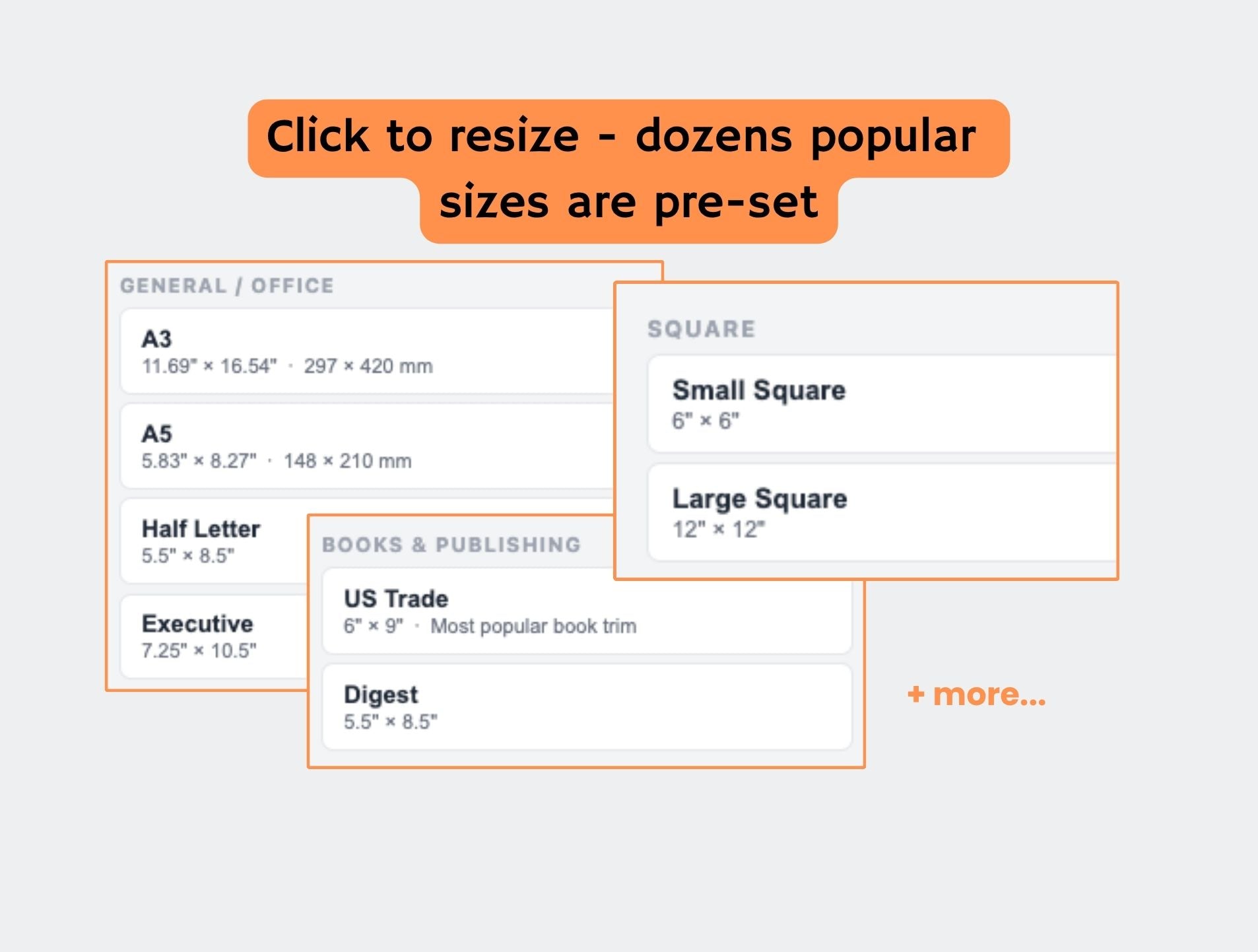
Doc Sizer adds 18 page size presets — A5, 6×9, Royal, Crown Quarto, and more — directly inside Google Docs. Resize any document instantly, with your exact dimensions shown live.

Free 14-day trial. No credit card required.

Install Free on Google Workspace Marketplace
★★★★★
An Official Google Workspace™ Marketplace Add-On.

Google Docs only gives you four page sizes.

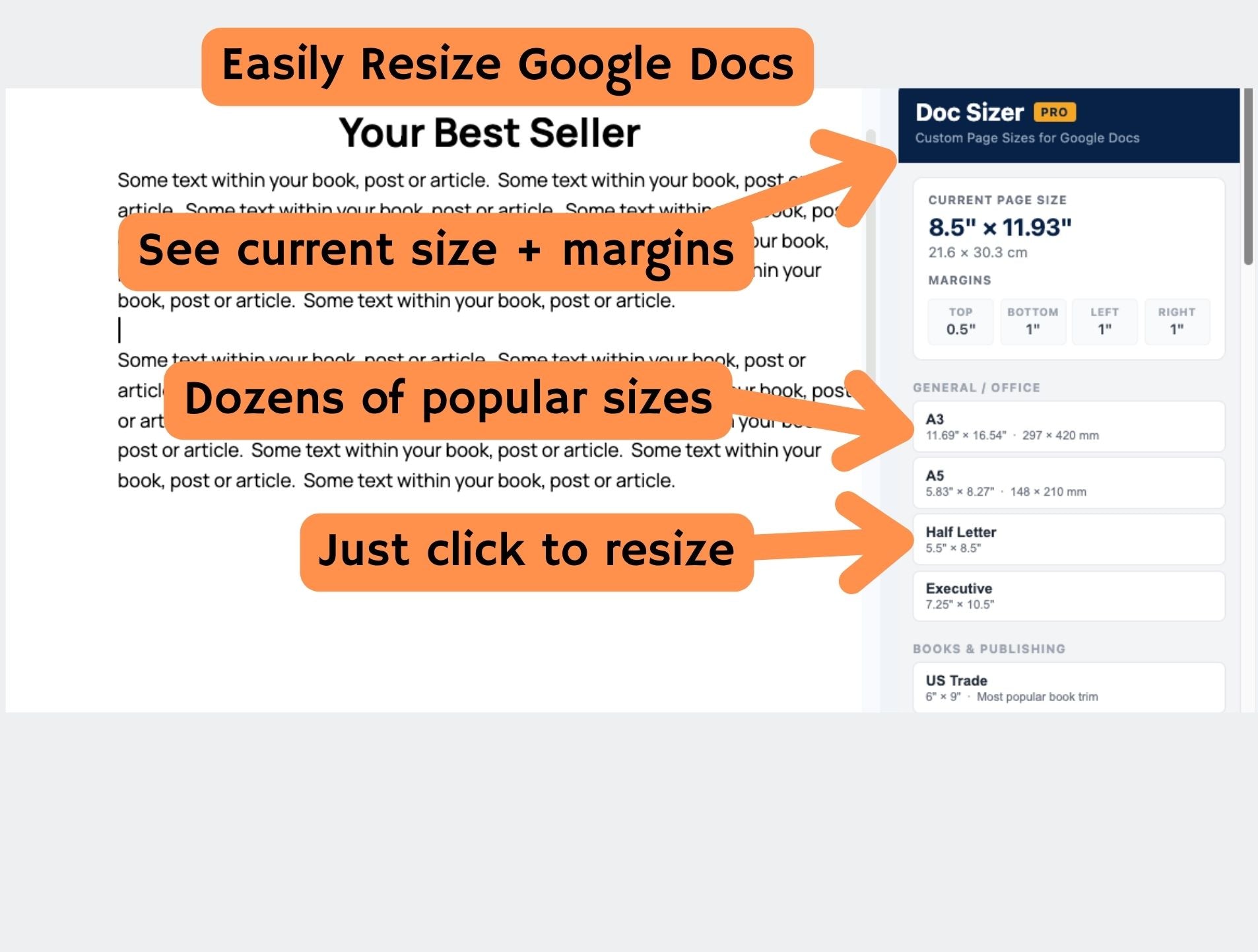
Letter, A4, Legal, Tabloid. If you need anything else — an A5 journal, a 6×9 book, a Royal trim for a UK publisher — you're stuck hunting through menus or calculating point values by hand. Doc Sizer fixes that. One sidebar. 18 curated presets. Click once and your document resizes instantly, with the exact dimensions shown live in inches and centimetres.
  • 18 one-click size presets — office, publishing, ISO, square formats
  • Live page size display — always shows your current dimensions in inches and cm
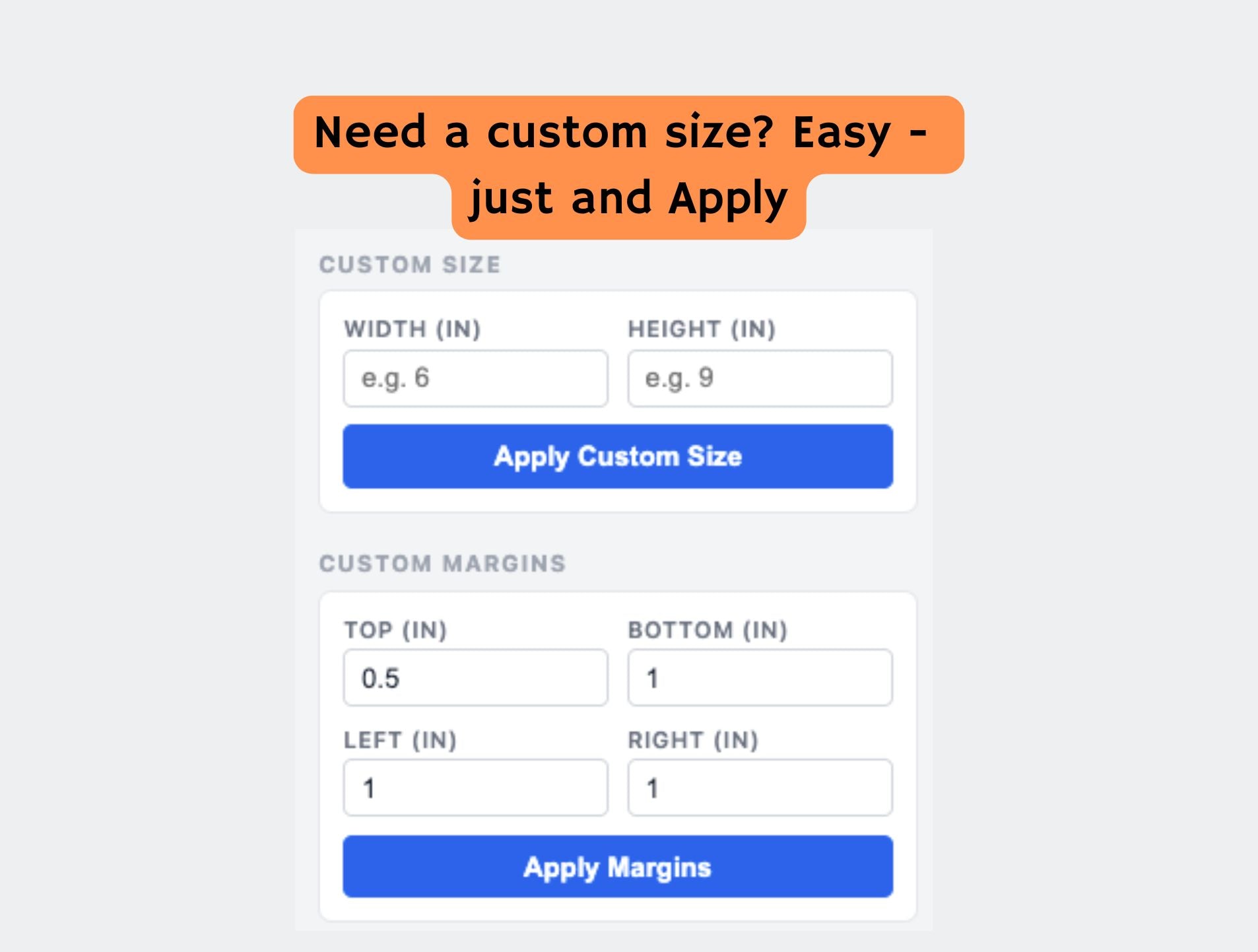
  • Custom size input — enter any width and height, free forever
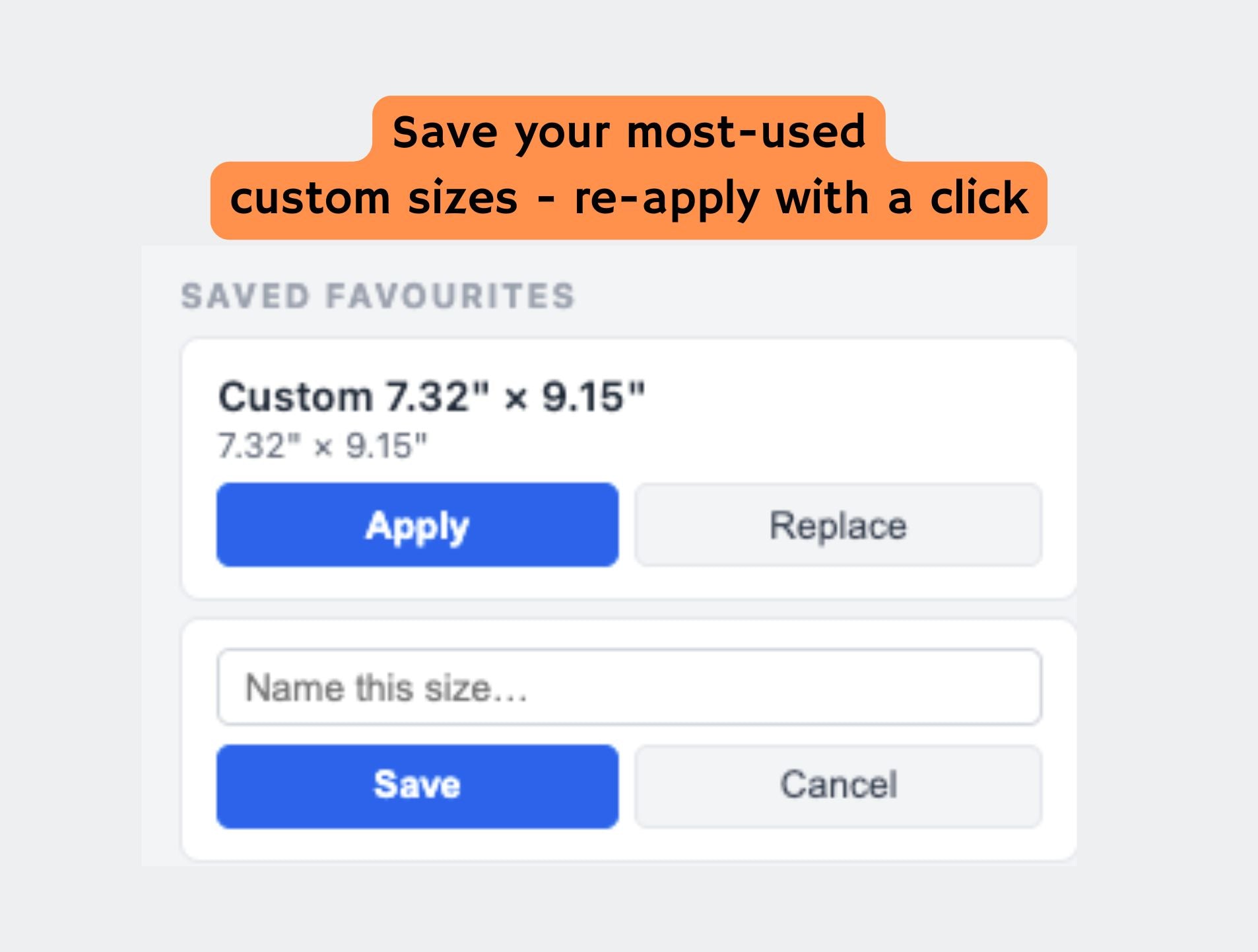
  • Custom margins and saved favourites — for print-ready documents (Pro)
Free 14-day trial. No credit card required.
How It Works

1
Install in seconds

Click Install on the Google Workspace Marketplace. Authorize the add-on. That's it.

2
Open the sidebar

In any Google Doc, go to Extensions > Doc Sizer > Open Doc Sizer. The sidebar opens on the right.

3
Click a size and resize

Pick any preset or enter custom dimensions. Your document resizes instantly and the live display updates.

What Users Say

★★★★★

"I format all my KDP books in Google Docs. Doc Sizer saves me from going back and forth between Docs and a calculator every single time I start a new project."

Michael T.

Self-published author

★★★★★

"I needed A5 for my student journal template. Found Doc Sizer, clicked A5, done. Exactly what I was looking for — no fuss."

Priya S.

University student

★★★★★

"The custom margins feature is what got me. I set up print-ready A4 with bleed in about 10 seconds. Used to take me ages to figure out the points conversion."

Daniel W.

Graphic designer

Upgrade to Pro or try free

Free
Free
  • 8 one-click size presets
  • Custom size input
  • Live dimension display
  • Free, forever
Pro
$4.99 / month
  • Everything in Free
  • All 18 size presets
  • Custom margins
  • 3 saved favourite sizes

Compare Plans

Feature Free Pro
8 one-click size presets
Custom size input
Live dimension display (inches + cm)
10 additional specialty presets
Custom margins (top, bottom, left, right)
3 saved favourite sizes
14-day free trial (full access)
Save hours with one-click resizing for Google Docs™
Price Free Forever $4.99/month or $34/year

Screenshots

FAQ

  • Yes. The 8 free presets and custom size input have no time limit and require no credit card. You only pay if you want the Pro specialty presets, custom margins, or saved favourites.

  • The full Pro tier — all 18 presets, custom margins, and saved favourites — for 14 days from install, no credit card required. After 14 days, you keep the free tier automatically.

  • No. Doc Sizer only reads and sets your page dimensions. It never reads the text, images, or other content of your document, and has no access to other files in your Drive.

  • Yes. Doc Sizer works with both personal Google accounts and Google Workspace accounts.

  • Use the custom size input — enter any width and height in inches. This is free forever.

  • This is usually a multi-account issue in Chrome. Open an Incognito window, log in with the Google account you used to subscribe, and relaunch the add-on. If the issue persists, contact us at info@worksmithapps.com.

  • Yes, at any time. You can manage your subscription via the billing portal link in your welcome email. No questions asked.